
How can I change my Facebook username?
 Pieter posted in "Hacks & tricks". 17 years, 3 months ago

When you carefully chose your Facebook username, you were made to believe it was for life. But Facebook has now quietly added the option to change the unique URL that leads to your profile. You get one extra shot to modify your Facebook username. Maybe that’s good news for Brennan M Smith, who chose facebook.com/heywood.jablowme in a probably very jolly mood.
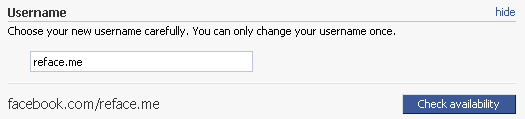
How to change your Facebook username or profile/vanity URL:
- Click Settings or visit this URL to go to your account settings.
- Click the Change link next to Username or right above your current Facebook username.
- Change your current username and check for availability. If it’s available, you’ll have to click the final confirmation window to finalize the change.
Have you chosen a Facebook username yet? And if so, will you ever change it?
Like Reface.me on Facebook